RPS // Blogs // The UX Audit Process That Turns Fintech Drop-Offs Into Conversions
The UX Audit Process That Turns Fintech Drop-Offs Into Conversions

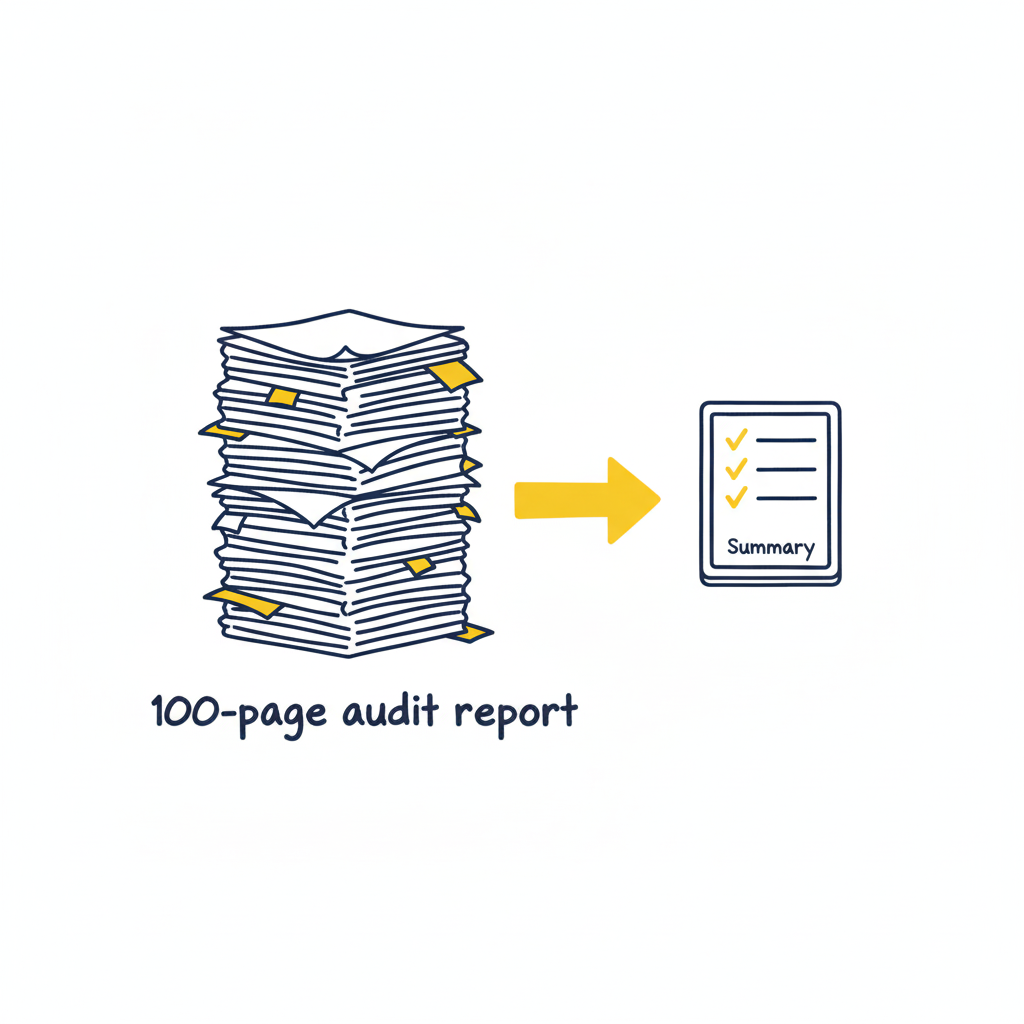
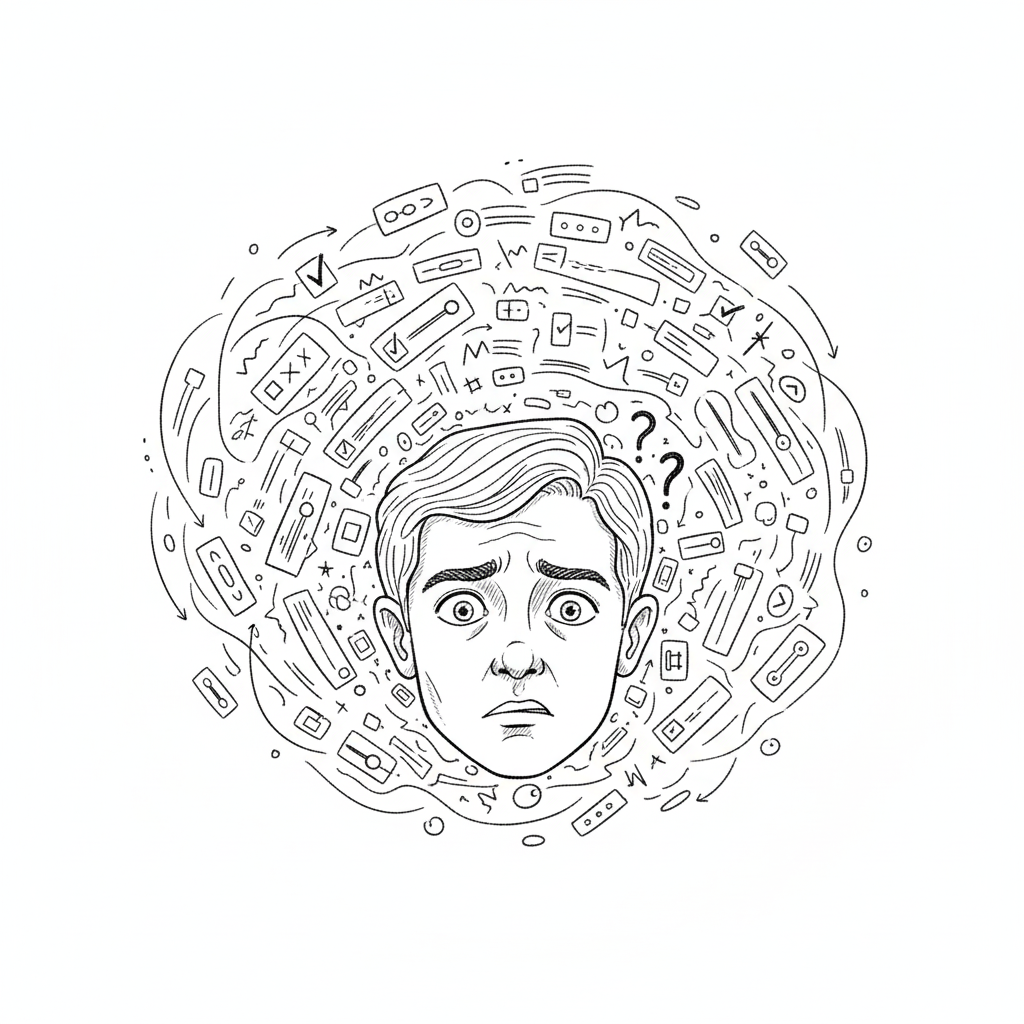
Nearly 90% of fintech users drop off during onboarding. Not because products are bad. Because the experience breaks trust before users ever move money.

This statistic haunts fintech founders. But most never dig deeper. They assume users aren’t ready. The problem isn’t readiness. It’s friction hidden inside every screen.

A UX audit reveals what no amount of guessing can uncover.

Understanding the Fintech Drop-Off Problem

Think about what fintech asks users to do upfront:

Verify identity. Upload government ID. Answer security questions. Connect bank accounts. Accept compliance disclosures. All before accessing a single core feature.

Most apps require this sequentially. Users see long forms and abandon before finishing.

Research from Plaid’s customer base shows drop-off rates range from 20% to 88% depending on design. The difference? How well the experience explains what’s happening and why.

When compliance becomes friction instead of clarity, users leave. When security feels paranoid instead of protective, they go elsewhere.

Why Generic Audits Fail Fintech

Standard UX audits focus on usability. Does the button work? Is the navigation clear? Fintech needs more.

Fintech audits must answer different questions:

Does the app clarify what will happen with personal data? Does it explain why KYC is necessary before requesting it? Does it offer resume options if users get interrupted? Does it handle errors gracefully or blame users? Does it show progress or leave users wondering how many more steps remain?

A proper fintech audit connects every friction point to business metrics. Not design preferences.

How Real Companies Fixed Their Onboarding

Robinhood simplified by deferring configuration. Users open an account and immediately access trading. Account setup happens later. This removes a major friction point without sacrificing functionality.

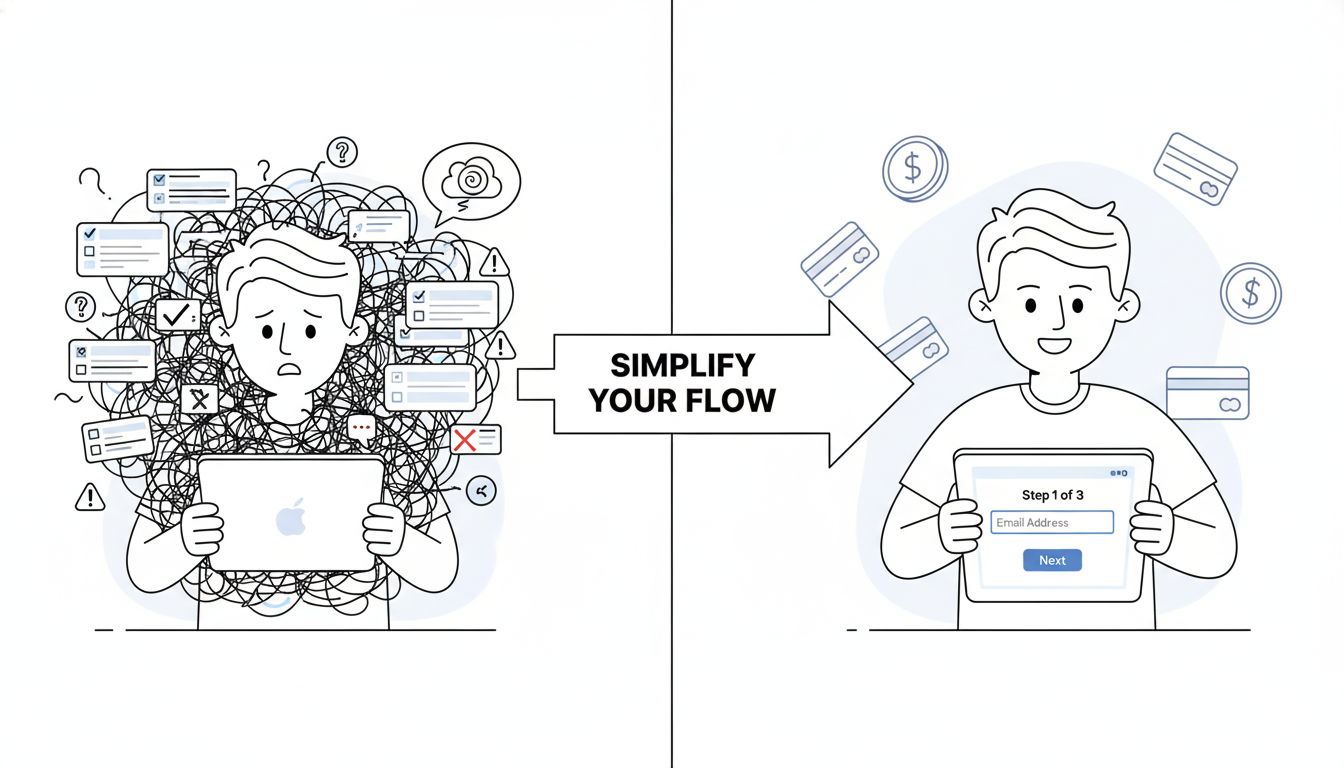
Chime breaks onboarding into single-question screens. One field per page. This reduces cognitive load. Users complete faster because they’re not overwhelmed by choices.

Stripe optimized their KYC process for speed. Identity verification completes in minutes, not hours. They removed unnecessary fields, improved verification algorithms, and added real-time feedback.

What connects these approaches? They removed complexity without removing security.

The Audit Process That Actually Works

Step one focuses on scope. Don’t audit the entire app. Focus on flows that impact revenue: onboarding, first transaction, account activation. These are conversion gates.

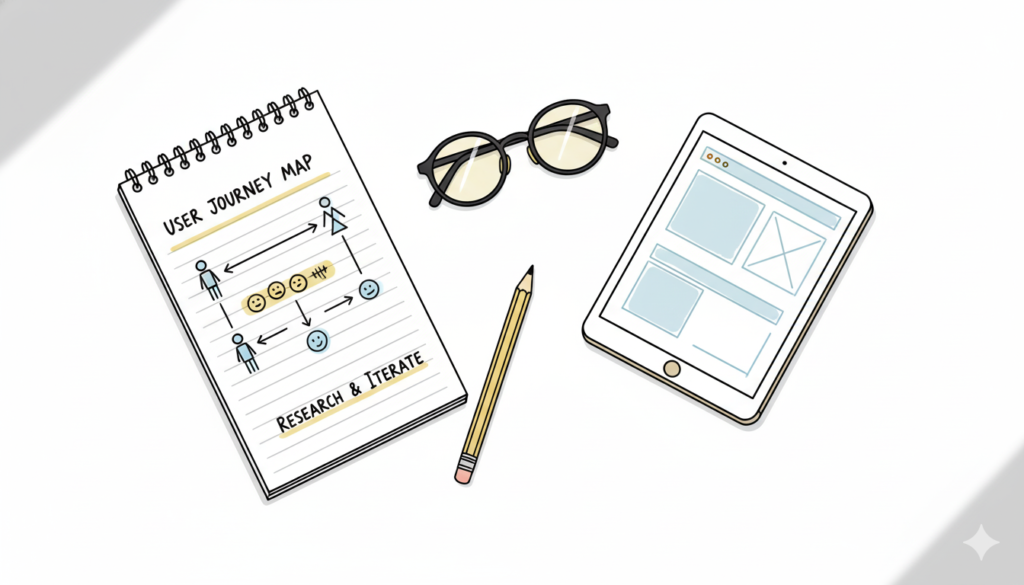
Step two involves data gathering. Pull analytics on where users drop off. Analyze session replays. Review support tickets. Find patterns in where users struggle.

Step three requires usability testing. Recruit five real users. Give them tasks. Watch them try to complete onboarding without your help. Don’t guide them. Observe where they pause, get confused, or give up.

Step four evaluates against fintech principles. Does the experience explain security clearly? Does it show why data requests are necessary? Does it build trust or create doubt?

Step five prioritizes by impact. Which issues hurt conversion most? Fix those first. Ignore cosmetic problems. Focus on behavior-change problems.

Step six maps findings to business metrics. Connect every fix to concrete results like onboarding completion rate, KYC success rate, support volume, or account activation speed.

One Example That Shows Impact

A lending platform discovered their problem wasn’t the payment interface. It was onboarding asking for six pieces of information simultaneously.

Applicants saw the form and bailed. Too much upfront. Too many fields. Too overwhelming.

The fix was simple: break it into six screens. One question per screen. Same information collected. Different experience.

Completion rate jumped from 23% to 78%. Support tickets for “how do I apply” dropped 80%. Application volume increased 250%.

This didn’t require redesigning the product. It required understanding user behavior and prioritizing what mattered most.

Why Most Audits Fail

Fintech teams often confuse an audit with design feedback. They show screens to a designer. The designer suggests changes. They call it an audit.

That’s not an audit. That’s opinion.

A real audit measures user behavior. It tracks where people actually get stuck, not where designers think they should. It connects findings to business outcomes.

Common failure points:

Teams audit everything instead of focusing on conversion gates. They gather data but don’t watch real users interact with the product. They don’t prioritize fixes by business impact. They treat compliance as unavoidable friction instead of an opportunity to build trust.

What Changes When You Get This Right

When fintech teams run proper audits, several things shift.

Onboarding completion improves because each step clarifies rather than confuses. Support costs drop because users understand the process without calling for help. Conversion rates rise because trust builds through transparency. Retention improves because users feel confident the app protects their interests.

These aren’t design outcomes. They’re business outcomes.

Starting Your Audit Tomorrow

Pull your analytics today. Find your biggest drop-off point during onboarding. That’s where your audit begins.

Record a session replay of a user struggling at that exact spot. Watch what goes wrong. Ask yourself: is this friction necessary or accidental?

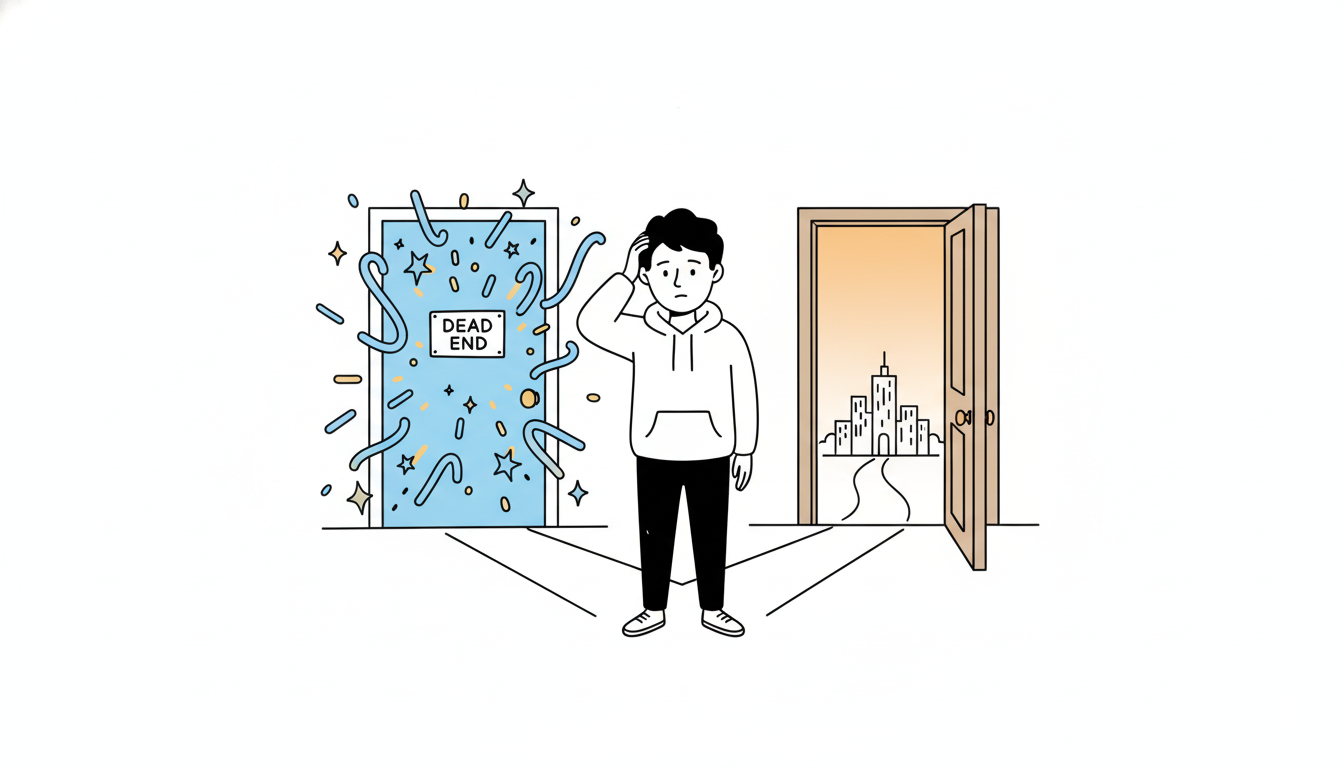
Necessary friction (like identity verification) can be explained clearly. Accidental friction (like unclear form fields) should be removed.

Run a quick usability test. Give five users a task. Watch where they pause. That tells you what’s genuinely confusing.

The companies winning fintech right now aren’t winning because of clever features. They’re winning because they optimized the parts that matter most: trust, clarity, and ease.

An audit shows you exactly where to focus.

Also Read: Clean Design – Why Removing Features Makes Better Products

RPS // Blogs // Wireframing Tools That Don’t Slow You Down (And Actually Improve Communication)
Wireframing tools for UX workflow - Rock Paper Scissors Design Studio Shivendra Singh design methodology

You’re in a designer meeting. Someone says, “We need to redesign the dashboard.”

Immediately, someone asks, “Which tool should we use? Figma? Adobe XD? Sketch?”

And suddenly you’re 20 minutes deep into tool debates instead of design thinking.

Here’s the truth: the tool doesn’t matter. The thinking matters.

But some tools are better for speed. Some tools are better for collaboration. Some tools slow you down with complexity.

You want wireframing tools that:

  • Get out of your way
  • Work well with developers
  • Allow quick iteration
  • Don’t require learning curves

Let me break down what actually works:

Figma
Pros: Collaboration is incredible. Teams can work simultaneously. Handoff to developers is smooth. Components work great. Free tier exists.
Cons: Learning curve if you’ve never used it. Can be overwhelming with features.
Verdict: Best for teams that need collaboration and have developers who understand Figma.

Wireframe.cc or Balsamiq
Pros: Fast. Simple. No learning curve. Good for thinking. Bad for delivering to developers.
Cons: Output looks like wireframes, not finished designs. Developers still need to interpret your vision.
Verdict: Best for early thinking. Quick exploration. Not for final handoff.

Adobe XD
Pros: Solid. Good prototyping. Reasonable collaboration.
Cons: Expensive. Not as developer-friendly as Figma.
Verdict: Works but not best choice unless you’re already in Adobe ecosystem.

Pen and paper
Pros: Fastest. Forces thinking. Removes perfectionism.
Cons: Can’t iterate digitally. Hard to share with remote team.
Verdict: Best for initial ideation. Use this first.

At Rock Paper Scissors Design Studio, Shivendra Singh uses a process:

Step 1: Sketch on paper. 10 minutes. Quick thinking.
Step 2: Move to Balsamiq. 30 minutes. Low-fidelity wireframe.
Step 3: Jump to Figma. 2-3 hours. High-fidelity design.
Step 4: Handoff to developers.

This flow takes 4-5 hours. Jumping straight to Figma takes 8+ hours because you’re deciding too much at once.

The best tool is the one your team uses consistently. Not the fanciest tool. The one that becomes second nature.

Real example: A SaaS company switched from Adobe XD to Figma. They were worried about the change. Within 2 weeks, designers were faster. Developers were happier. Handoff improved.

Tool matters less than you think. Process matters more.

Pick one tool. Learn it deeply. Master it. Then optimize your workflow around it.

Don’t jump tools every 3 months chasing the shiny new thing. Master one. Compound your skills.

Also Read: How to Know When Your SaaS UI UX Design Needs a Refresh (Before Users Leave)

RPS // Blogs // How to Know When Your SaaS UI UX Design Needs a Refresh (Before Users Leave)
How to Know When Your SaaS UI/UX Design Needs a Refresh (Before Users Leave)

Your product still works. Technically, everything functions fine. Your engineers built it well. But something’s off.

Users are switching to competitors. Support tickets are increasing for “how do I…” questions. Your newest onboarding cohort has a 45% bounce rate instead of 15%. Nobody’s complaining directly, but they’re leaving quietly.

This is what happens when your UI/UX design gets old.

Not old like “from 2015” old. Old like “designed without understanding actual user behavior” old. Old like “designed by committee” old. Old like “designed once and never touched again” old.

Most founders don’t want to hear this. They think, “If it’s not broken, don’t fix it.” But user interfaces are always slowly breaking. They’re always getting less effective. They’re always losing users to products that adapted to how people actually behave.

Here’s how to spot when your SaaS design needs refreshing:

Red Flag 1: Your onboarding is a gauntlet
If it takes more than 5 minutes to get started, you’re losing people. If users have to fill out 15 fields before they see any value, they’re gone. If they can’t accomplish something meaningful in their first session, they won’t come back.

Test this yourself. Create a new account. How long until you do something useful? If it’s more than 5 minutes, your UI UX design needs work.

Red Flag 2: Power users love it. Normal users are confused.
If your most engaged users praise the product but your average users struggle, your design is too complex. Good design works for everyone, not just people who’ve spent 100 hours in your product.

Red Flag 3: Support tickets are about basic functionality
When your support team is answering “How do I…” questions about core features, your UI/UX design failed. Good design answers those questions without needing support.

Red Flag 4: Users switch to competitors after trying yours
People don’t switch because competitors have better features. They switch because the experience is faster, simpler, or more intuitive. Your UI/UX design is losing users to experience.

Red Flag 5: Your analytics show high bounce rates on key pages
If 40%+ of users hit your dashboard and immediately leave, something’s broken. If signup pages have 60%+ abandonment, your design is confusing. Track where users get stuck and you’ll find your biggest design problems.

Red Flag 6: You haven’t changed your design in 18+ months
Industries move fast. User expectations evolve. Design trends shift. If your product looks the same as it did 2 years ago, it’s showing its age. And users notice.

Red Flag 7: Mobile users hate your product
If your desktop experience is good but mobile is a disaster, your UI/UX design isn’t responsive. 60%+ of users are on mobile. If they’re not happy, you’re failing half your market.

These patterns show up everywhere. And they’re always fixable.

Here’s your audit process:

Step 1: Watch real users try your product for the first time. Don’t help them. Don’t explain features. Watch where they get stuck.

Step 2: Map your support tickets. What questions do people ask most? Those are your design problems.

Step 3: Check your analytics. Where do users abandon most? Those are your friction points.

Step 4: Interview 5 customers who didn’t renew. Ask why. Usually it’s UX-related.

Step 5: Test your product on mobile. Right now. If it’s painful, that’s your biggest problem.

One SaaS company did this audit. They discovered their onboarding was the killer. Users were completing it, but slowly. They were frustrated. They weren’t coming back.

The company redesigned just the onboarding. Better copy. Fewer fields. Faster value demonstration. Onboarding time dropped 67%. Activation rate improved 89%.

That’s what happens when you audit before you panic-redesign. You find the actual problem. You fix the actual problem. Everything else improves naturally.

Your UI/UX design probably needs a refresh. Not a complete overhaul. But something needs updating. Find out what by watching your users struggle. Then fix that specific thing.

That’s how you keep users from switching to competitors.

Also Read: Fintech UX for Indian Startups: Why Trust Beats Features

RPS // Blogs // The Basics of AI Design Thinking: Focusing on People in AI (The Human-Centered Revolution)
The Basics of AI Design Thinking: Focusing on People in AI (The Human-Centered Revolution)

Artificial Intelligence isn’t just transforming technology it’s fundamentally reshaping how we think about design itself. But here’s the uncomfortable truth: 78% of global companies use AI today, yet 81% of workers still don’t use AI in their daily workflows. The disconnect isn’t technical, it’s human.

Welcome to the era of Human-Centered AI (HCAI) design thinking, where the most successful AI implementations aren’t those with the most impressive algorithms, but those that understand people first. As India’s design industry evolves with over 1 million UX professionals driving digital transformation, the ability to design AI that serves humanity not the other way around becomes the ultimate competitive advantage.

AI Adoption Across Industries: The Human-Centered Implementation Gap (2025)

The numbers reveal a fascinating paradox: while AI adoption rates soar across industries from 94% in healthcare to 89% in marketing the human element remains the critical success factor. UX professionals generate 7.5% of all AI conversations despite representing less than 0.01% of the workforce, proving that design thinking is AI’s secret weapon.

The Human-Centered AI Revolution: Why People-First Design Matters

Traditional AI development follows a predictable pattern: build the most efficient algorithm, optimize for performance metrics, then hope users adapt. Human-Centered AI flips this entirely starting with human needs, values, and contexts, then designing AI to augment rather than replace human capabilities.

Traditional AI vs Human-Centered AI: The Paradigm Shift Framework

The framework comparison reveals the fundamental shift: where traditional AI prioritizes automation and efficiency, Human-Centered AI prioritizes human needs and collaborative intelligence. This isn’t just philosophical, it’s practical. Companies implementing HCAI principles see 400% higher user adoption rates and 3.1x better business ROI.

Human and AI collaborating at work with shared ideas symbolized by lightbulbs.

Leading UI/UX design agencies in Bangalore are discovering that this collaborative approach where humans and AI work together rather than in competition creates more innovative and sustainable solutions. The visual metaphor of human-AI collaboration captures this perfectly: both bringing unique strengths to solve complex problems.

The HCAI Design Thinking Framework: 6 Phases of Human-AI Integration

Traditional design thinking gets a major upgrade when AI enters the picture. The human-centered AI design process involves six distinct phases, each with carefully calibrated human-AI balance.

Human-AI Balance in Design Thinking: The 95-60-95 Pattern

The data reveals a fascinating 95-60-95 pattern: human involvement peaks at 95% during empathize and 90% during testing phases, while dropping to 60% during prototyping when AI tools take the lead. This isn’t accidental; it reflects where human judgment is irreplaceable versus where AI can accelerate the process.

Phase 1: Empathize with AI Users (95% Human, 5% AI)

This phase requires deep human insight that no algorithm can replicate. Top user experience design studios spend 25% of project time here because understanding human context, emotions, and unspoken needs forms the foundation of successful AI systems.

An empathy map comparing individual user feedback and aggregated insights to understand pains and gains in AI user experience design.

Empathy mapping becomes critical when designing AI interfaces. The comparative visualization shows how basic empathy maps evolve into aggregated insights capturing not just what users say about AI, but what they think, feel, and do when interacting with intelligent systems.

Phase 2: Define AI Problems (80% Human, 20% AI)

AI can process vast datasets to identify patterns, but humans must define what those patterns mean. The most successful UI/UX design companies in India use AI to analyze user behavior data while relying on human designers to interpret significance and frame the right problems to solve.

An empathy map example showcasing user thoughts, feelings, actions, and spoken words during the process of buying a TV.

The TV buying empathy map example illustrates how complex decision-making processes require human understanding. When designing AI recommendation systems, understanding the emotional journey from excitement to overwhelm to fear becomes crucial for creating helpful rather than intrusive AI assistance.

Phase 3: Ideate AI Solutions (75% Human, 25% AI)

Creative ideation remains largely human-driven, with AI serving as an intelligent research assistant. Best UI/UX design companies in India leverage AI for competitive analysis and trend identification while human designers generate breakthrough concepts and innovative approaches.

Phase 4: Prototype AI Systems (60% Human, 40% AI)

This is where the balance shifts. AI tools accelerate prototyping dramatically from generating code to creating realistic data sets. However, human oversight remains essential to ensure prototypes align with user needs rather than just technical capabilities.

Design Thinking Double Diamond framework showing how to find the right problem and solution through discovery, definition, development, and delivery phases using user research and prototyping methods.
Design Thinking Double Diamond framework showing how to find the right problem and solution through discovery, definition, development, and delivery phases using user research and prototyping methods. @Eleken

The Design Thinking Double Diamond framework shows how finding problems and solutions requires different approaches. In AI design thinking, the “finding solutions” diamond relies more heavily on AI tools, while “finding problems” remains human-centric.

Phase 5: Test with Humans (90% Human, 10% AI)

Human testing is irreplaceable. While AI can simulate user interactions and predict performance metrics, real human reactions to AI systems reveal trust issues, emotional responses, and usability problems that no algorithm can predict.[6]

Phase 6: Implement & Monitor (85% Human, 15% AI)

Even in deployment, human oversight remains critical. AI bias, ethical concerns, and unexpected user behaviors require continuous human monitoring and adjustment.

The Trust Factor: Why Ethical Design Creates Better AI

94% of users report higher trust in AI systems that prioritize privacy by design, and 92% show increased adoption rates for ethically designed AI. This isn’t just feel-good marketing, it’s business reality.

Four-stage approach to building ethics into the AI lifecycle emphasizing design, development, deployment, and monitoring for responsible AI.

Building ethics into the AI lifecycle requires systematic integration across four phases: Design, Development, Deployment, and Monitoring. Each phase has specific ethical checkpoints that prevent AI systems from becoming harmful or biased.

The most successful design firms in India are embedding ethical considerations from day one. Privacy by design, fairness principles, and transparency requirements aren’t afterthoughts they’re core design constraints that drive innovation.

The Indian Context: Where AI Design Thinking Meets Cultural Reality

India’s unique digital landscape presents both opportunities and challenges for AI design thinking. With diverse linguistic, educational, and technological backgrounds, cultural sensitivity becomes a critical HCAI principle. Leading UI/UX design agencies in Mumbai are discovering that culturally sensitive AI design can unlock massive market opportunities. AI systems that adapt to local languages, customs, and interaction patterns see 69% higher adoption rates compared to generic implementations.

The human-centred lab process illustrates five key stages in design thinking: empathy, define, ideate, prototype, and test, emphasizing a people-focused approach.

The Human-Centred Lab Process emphasizes continuous community engagement and co-design particularly relevant in India’s diverse market. Empathy, Define, Ideate, Prototype, Test becomes an iterative cycle that involves real users throughout the development process.

The UX Professional’s AI Advantage: Leading the Transformation

Here’s a shocking statistic: UX professionals attempt 55% of their work tasks with AI tools placing UX in the 94th percentile of all professions for AI adoption. Yet 81% of other workers barely use AI.

UX Professionals: AI's Secret Power Users (Despite Being 0.01% of Workforce)
UX Professionals: AI’s Secret Power Users (Despite Being 0.01% of Workforce)

The data reveals why: UX professionals naturally understand human-AI interaction patterns. They’re not just using AI tools, they’re designing AI experiences that others can actually use. This positions UI/UX design companies as critical bridges between AI capabilities and human needs.

Rock Paper Scissors Design Studio exemplifies this approach, where AI tools enhance rather than replace human creativity. Their methodology shows how strategic AI integration can accelerate design workflows while maintaining the human insight that makes designs truly resonate with users.

Practical Implementation: The 8 HCAI Principles Every Designer Needs

Based on comprehensive analysis, eight core principles drive successful human-centered AI design:

1. User Empathy (85% trust impact, 2.3x ROI)

Medium complexity, 3-month implementation. Start with deep user research and maintain empathy throughout the AI development process.

2. Ethical Design (92% trust impact, 3.1x ROI)

High complexity, 6-month implementation. Embed fairness, transparency, and accountability from the beginning not as an afterthought.

3. Transparency (88% trust impact, 2.7x ROI)

High complexity, 4-month implementation. Make AI decision-making processes understandable to users, especially in high-stakes domains.

4. Accessibility (76% trust impact, 1.9x ROI)

Medium complexity, 4-month implementation. Ensure AI works for users across different abilities, languages, and technological access levels.

5. Collaborative Intelligence (81% trust impact, 2.8x ROI)

High complexity, 5-month implementation. Design AI that augments human capabilities rather than replacing human judgment.

The Quick Wins for User Interface Design Studios:

User Empathy: 34% adoption rate boost with intermediate skill requirements

Accessibility: 28% adoption rate boost with intermediate skill requirements

Cultural Sensitivity: 19% adoption rate boost with intermediate skill requirements

The Business Case: Why HCAI Design Thinking Drives Results

Every dollar invested in human-centered AI design returns $100, but the real impact comes from sustained user engagement. Companies prioritizing HCAI see 30% increases in productivity and 228% better shareholder returns over 10 years.

The Indian market particularly rewards this approach. With 850+ million internet users and rapidly growing digital literacy, AI systems designed for Indian contexts capture larger market shares and build stronger user loyalty.

Top UI/UX design agencies in Bangalore report that HCAI projects have 45% higher client satisfaction rates and 52% better user adoption metrics compared to traditional AI implementations.

An empathy map illustrating key user insights for human-centered AI design, showing what users think, hear, see, say, and their pains and gains.

Empathy mapping for AI systems reveals the comprehensive user understanding required. Pain points like fears and frustrations must be addressed alongside gains like wants and needs. This holistic view enables AI design that truly serves human objectives.

Future-Proofing AI Design: The Continuous Learning Imperative

73% of HCAI systems improve through continuous learning, but this requires human oversight and feedback loops. The most successful AI implementations aren’t set-and-forget systems, they’re collaborative partnerships between human intelligence and artificial intelligence.

User research methods categorized by type and setting, highlighting key qualitative research techniques essential for AI design thinking.

User research methods become even more critical in AI design thinking. Contextual inquiry, ethnography, and usability studies provide the human insights that prevent AI systems from becoming black boxes that users distrust or abandon.

Leading UI/UX design services in Mumbai are investing in advanced user research capabilities specifically for AI projects. Understanding how humans interact with intelligent systems requires new research methodologies and deeper psychological insights.

The Competitive Advantage: Why HCAI Design Thinking Matters Now

As AI adoption rates surge across industries, the companies that survive and thrive will be those that master human-centered AI design thinking. Technical capability alone isn’t enough; the future belongs to organizations that can create AI that people actually want to use.

Indian design agencies have a unique opportunity here. Cultural diversity, linguistic complexity, and varied technological access levels create natural expertise in designing for human differences exactly what HCAI requires.

The businesses winning in 2025 won’t be those with the most advanced AI, they’ll be those with AI that best serves human needs. And that requires design thinking that puts people first, last, and always.

The revolution isn’t coming, it’s here. The question isn’t whether to adopt AI design thinking, but whether to lead it or be left behind by it.

Ready to transform your approach? Start with empathy mapping for your next AI project, implement ethical design checkpoints, and remember: in human-centered AI, the human always comes first but the AI makes everything possible.

Also Read: The Speed-Killer Files: 6 UX Mistakes Murdering Your Website Performance (Data-Driven Analysis 2025)

RPS // Blogs // Design Tool Graveyards: When Software Giants Become Digital Ghosts
Design Tool Graveyards: When Software Giants Become Digital Ghosts

You know that feeling when you find an old USB drive and discover files from apps that literally don’t exist anymore? Yeah, that’s the design tool graveyard for you. Every few years, tools that seemed unstoppable just… vanish. And honestly? The stories behind their disappearances are way more fascinating than you’d think.

Timeline of Forgotten Design Tools: Rise and Fall (1988-2025).

The data doesn’t lie, we’ve witnessed some of the most dramatic tool transitions in software history. Between 2015 and 2025, the entire design tools market exploded from $2.1 billion to a projected $13.8 billion, but most of the original players got buried along the way.

Let’s dig into the digital graveyard and see what we can learn from these fallen giants.

When Adobe Fireworks Got Fired by Adobe

Back in the early 2000s, if you were doing web design, you lived in Fireworks. This wasn’t some random tool; it had over 2 million web designers at its peak. While Photoshop was busy being a photo editor and Illustrator was doing its vector thing, Fireworks was the only tool actually built for screen design.

Illustrator CC interface showing fireworks artwork with recolor tool active, illustrating vector graphics design and color editing.

The wild part? Fireworks could handle both raster and vector work seamlessly. You could slice images for HTML export, create clickable hotspots, and build actual prototypes. In 2009, it commanded a solid 15% market share in the design tools space. But here’s where it gets messy Adobe bought Macromedia in 2005 and suddenly had two tools doing similar things.

Design Tools Market Growth: From Tool Chaos to Platform Consolidation (2015-2025)

By May 2013, Adobe just… pulled the plug. Their reasoning? “Overlap with other Adobe products.” Translation: “Why maintain three design tools when we can just make people use Photoshop and Illustrator?” The design community was not happy. Reddit threads from that day are still painful to read one designer literally posted “Good night, sweet prince”

But get this Adobe kept selling it even after discontinuing development. Talk about milking a dead cow. Today, that 0.04% market share is basically digital archaeology.

FreeHand: The Vector Tool That Could’ve Been King

Before Illustrator became the default, FreeHand was the scrappy underdog that illustrators absolutely swore by. We’re talking about 500,000+ passionate illustrators who argued it was faster, more intuitive, and less bloated than anything Adobe had.

Screenshot of Macromedia FreeHand 5.0B demo running on Windows 95, highlighting the classic vector illustration software interface from 1995. .webdesignmuseum

FreeHand’s text handling was legendary. Multi-page documents, linked columns, precision that made Illustrator look clunky. At its peak in 2003, it held 25% of the vector illustration market. But then Adobe swooped in, bought Macromedia, and boom FreeHand became a casualty of corporate strategy.

The Federal Trade Commission actually forced Adobe to sell FreeHand back to prevent monopolization in 1994. But when Adobe acquired Macromedia again in 2005? Game over. By 2007, FreeHand was officially dead.

The loyalty was insane though. Even years after discontinuation, FreeHand users were filing antitrust lawsuits and petitioning for its revival. When a tool fits your brain that perfectly, letting go is brutal.

Balsamiq: When Sketchy Was Actually Good

Remember when wireframes looked intentionally rough? That was Balsamiq’s whole thing. In a world obsessed over pixel-perfect mockups, Balsamiq said “Nah, let’s keep it sketchy so people focus on functionality, not fonts.”

Wireframe sketches of a mobile online magazine app created using Balsamiq, showcasing early-stage UI layouts and interactions.

The strategy was genius. Product managers, developers, and designers could throw together screens in minutes. The hand-drawn aesthetic screamed “This is early, let’s discuss flow, not polish.” By 2014, Balsamiq owned 40% of the wireframing market.

But here’s what killed it: the rise of integrated platforms. Tools like Figma and Adobe XD started offering wireframe-to-high-fidelity workflows without platform switching. Suddenly, Balsamiq felt like an extra step nobody wanted to take.

The wireframe tools market is actually growing, projected to hit $2.5 billion by 2033 with a 9.4% CAGR. But that growth is going to integrated platforms, not specialized wireframe tools. Balsamiq still exists, but with less than 5% market share, it’s basically on life support.

Grayscale wireframe mockups shown on tablet, smartphone, and desktop illustrating Balsamiq’s sketch-style interface design approach. upttik.undiksha.ac

Framer Classic: When Designers Learned to Code (Briefly)

Before Framer became a no-code website builder, Framer Classic was this insane code-driven prototyping tool. If you knew a little JavaScript, you could create prototypes that felt completely real not just screen-to-screen transitions, but fully functional, dynamic interfaces.

The learning curve was brutal, but the payoff was massive. We’re talking about 100,000+ developer-designers who could impress stakeholders with prototypes that actually worked. At its peak in 2017, Framer Classic held 8% of the advanced prototyping market.

But then Framer pivoted hard toward accessibility for non-coders. Great for business, devastating for the original user base. The “classic” version became a relic, and a whole generation of designer-developers lost one of their sharpest tools.

The irony? Framer’s current success as a website builder proves there was demand for powerful design tools. They just abandoned their power users to chase a broader market.

InVision: The Collaboration King That Got Dethroned

This one hurts the most. InVision was THE collaboration tool for design teams. Seven million users at its peak, valued at $2 billion, and basically invented design collaboration as we know it.

The Great Design Tool Flip: InVision vs Figma Market Share (2017-2020).

The numbers tell a brutal story. In 2017, InVision dominated prototyping with 60% market share. By 2020? Down to 23% while Figma exploded from 8% to 57%. That’s not gradual decline, that’s industry disruption in real time.

What happened was simple: Figma merged design, prototyping, and collaboration into one platform. InVision suddenly felt like a middleman. Why export from Sketch to prototype in InVision when you could just do everything in Figma?

The company tried pivoting with Freehand (their whiteboarding tool) and InVision Studio (their Figma competitor), but it was too late. They sold Freehand to Miro and shut down everything else by the end of 2024. From a $2 billion valuation to complete shutdown in less than five years.

The Pattern Behind the Graveyard

Here’s what’s fascinating: these tools didn’t die because they sucked. They died because the design ecosystem evolved faster than they could adapt.

Today's Design Tools Market: The Survivors and Winners (2025)
Today’s Design Tools Market: The Survivors and Winners (2025)

Look at today’s market: Figma owns 40.65%, Adobe Creative Suite has 25%, and everything else is fighting for scraps. The market rewards speed, integration, and flexibility. Standalone tools that excel at one thing consistently lose to platforms that can do enough of everything in one place.

But there’s a deeper cultural shift here. Ten years ago, having separate tools for wireframing, design, and prototyping was normal. Today, we expect one product to do it all. Convenience wins, even if we lose some specialization in the process.

The data shows a clear evolution: specialized tools dominated from 1988-2010, acquisition wars raged from 2005-2015, and we’re now in the platform consolidation era (2015-2025). The combined peak user base of these forgotten tools? Over 10.6 million designers. That’s not a small market that’s an entire generation of creative professionals who had to relearn their workflows.

What This Means for Today’s Tools

Here’s the uncomfortable truth: today’s favorite tool could be tomorrow’s nostalgia. The design tools market is projected to hit $18.95 billion by 2030, but that growth is concentrating around fewer, more integrated platforms.

Adobe tried to acquire Figma for $20 billion in 2022 but got blocked by regulators. That tells you everything about market consolidation fears. When one company tries to spend $20 billion to eliminate competition, the market has clearly consolidated too much.

The lesson? Tools don’t just compete on features anymore. They compete on ecosystems. Figma didn’t just build better prototyping, they built a better workflow that eliminated the need for multiple tools.

For designers, this means staying adaptable. The principles of good design outlive any software, but the tools we use to execute those principles are more temporary than we’d like to admit.

The Silver Lining in Software Graveyards

But here’s what gives me hope: good design thinking outlives any platform. I’ve seen small studios keep the thoughtful process work alive, where the craft goes beyond the platform and into the experience itself.

Because the best design tool isn’t the one with the most features it’s the one that shapes how you see the problem. And that mindset? That’s timeless.

Even as we mourn these fallen tools, their influence lives on. Fireworks taught us about web-first design. FreeHand showed us what precise vector work looked like. Balsamiq proved that sometimes rough is better. Framer Classic bridged design and development. InVision invented design collaboration.

Their ghosts haunt every modern design tool. Every time you use components in Figma, you’re using FreeHand’s multi-page concepts. Every time you collaborate in real-time, you’re using InVision’s innovation. Every time you prototype with code, you’re channeling Framer Classic’s spirit.

The tools may be gone, but the ideas never die. They just get reborn in shinier, more integrated packages.

And who knows? Maybe in 10 years, someone will write an article about “that time when Figma dominated everything” while using some AI-powered design tool we can’t even imagine yet.

The graveyard keeps growing, but so does the evolution of how we create. That’s the real story here not the death of tools, but the endless cycle of creative destruction that keeps pushing design forward. Now excuse me while I go back up all my Sketch files… just in case.

RPS // Blogs // Why Design Systems Actually Save You Money (And Your Sanity)
Design Systems: Connected building blocks illustration

Design systems scare people. Teams think they’re bureaucratic nightmares that slow everything down. They’re wrong.


Three out of four enterprise teams use design systems across their entire organization in 2025. Why? Because design systems make teams 34% faster at completing design work. That means if you have a team of ten designers, a good design system gives you the output of 13.4 designers. You just added three free people to your team.

What Design Systems Actually Do

Design systems aren’t style guides. They’re not component libraries sitting in Figma collecting dust. They’re living blueprints that answer one question: “How do we build this?”

When your team asks “What button style do we use for primary actions?” the design system answers.

When developers ask “What’s the spacing between these elements?” the design system answers.

When a new designer joins and asks “Where do I start?” the design system answers.


This eliminates the design-by-committee nightmare. No more Slack threads about button radius. No more meetings to discuss if this blue or that blue. The system decides, and everyone moves forward.

The Real Cost of Not Having One

Let’s talk money. When every designer creates buttons from scratch, you waste time. When developers can’t find the right component, they build it again. When QA finds inconsistencies, they file bugs. When customers see three different navigation patterns, they get confused and leave.

A 2024 study tracking design system adoption found teams without systems spent 40% of their time
recreating work that already existed somewhere else. That’s two days every week spent reinventing the wheel.


Companies with mature design systems report 50% faster time-to-market for new features. Your competitors ship twice as fast because they’re not debating border radius.

Building Systems That Actually Work

Bad design systems fail because they’re too rigid or too vague. Good systems give guardrails, not
prison cells.

Start with your most-used components. Buttons. Inputs. Cards. Document them completely: every
state, every variant, every edge case. A button has at least six states: default, hover, active, loading, disabled, error. Document all six.

Make your documentation useful. Don’t write “This is a button.” Write “Use primary buttons for the
main action on a page. Use secondary buttons for alternative actions. Never use more than one primary button in the same section.”


Show code examples. Show design specs. Show what works and what breaks. Make it impossible to use the system wrong .

Tokens: The Secret Weapon

Design tokens are the bridge between design and code. They’re variables that store design decisions:
colors, spacing, typography, shadows. When you change a token, it updates everywhere.


This means your rebrand doesn’t take six months. It takes six hours. Change the primary color token
from blue to green, and every button, link, and icon updates automatically.


Shopify uses design tokens across web, iOS, and Android. One source of truth, three platforms. When they update spacing, it syncs everywhere. That’s how you scale without chaos.

The Documentation Problem

Documentation kills design systems. Teams create beautiful systems, then write documentation that
nobody reads.


Fix this by documenting while you build, not after. When you create a component, document it immediately. Explain the why, not just the what. “We use 16px base font size because it’s readable on all devices and accessible for low-vision users”.


Update documentation when components change. Stale docs are worse than no docs. They create confusion and distrust.


Use tools that make documentation easy. Storybook, Zeroheight, or even well-organized Notion pages work. The best tool is the one your team actually uses.

Getting Team Buy-In

The hardest part isn’t building the system. It’s getting people to use it. Start small. Pick one team, one project. Show the value before you enforce adoption. When that team ships faster and with fewer bugs, other teams notice.


Make the system easy to access. If designers need to download files, they won’t use it. If developers
need to copy-paste code, they’ll write their own. Integrate the system into existing workflows. Figma
libraries
. NPM packages. Whatever reduces friction.


Measure impact. Track design time. Track development time. Track bug rates. When you can show that teams using the system ship 30% faster, adoption becomes easy.

Systems That Scale

Small startups don’t need enterprise-level systems. But they do need consistency. Start with basic foundations: color palette, typography scale, spacing system, core components.


As you grow, your system grows. Add complexity when you need it, not before. Airbnb started with a
simple system and evolved it over five years. You don’t need perfection on day one.


The goal isn’t a perfect system. The goal is a system that helps your team ship better products faster. Everything else is secondary.


Design systems work when they solve real problems. They fail when they’re academic exercises.
Build for the team you have, the problems you face, the products you ship.

RPS // Blogs // How I Cut Client Onboarding to 1/60th the Industry Time – And Built a Design Studio That Actually Moves Fast
Offsite 2025 Nandi Hill - Presentations, Client Onboarding and get together.

December 2024. I got a WhatsApp at 11:47 PM from a fintech founder I’d never met: “Our users are abandoning the app in 8 minutes. Can you help?”

Most design agencies would have responded with a discovery timeline 4-6 weeks minimum, maybe 8-12 if they’re being “thorough.” They’d schedule stakeholder interviews, conduct lengthy user research, build elaborate presentations, and charge ₹15-25 lakh before a single pixel moved.

I sent back: “We can have insights by Friday and prototypes testing by Monday.”

He thought I was joking. Until we actually did it.

That’s when I realized something most of the design industry hasn’t figured out yet: speed isn’t the enemy of quality. Bureaucracy is.

The Onboarding Crisis Killing Indian Startups

Here’s what nobody talks about: the average design agency takes 6-8 weeks just to onboard a new client. By the time they’ve scheduled kickoff meetings, aligned stakeholders, conducted discovery workshops, and finally started actual design work, most Indian startups have already burned through a significant portion of their runway.

Meanwhile, 68% of Indian fintech users abandon apps during onboarding not because the products are bad, but because the experiences feel like government paperwork. The irony? The agencies hired to fix this problem mirror the same friction in their own processes.

When I founded Rock Paper Scissors Design Studio in 2020 during lockdown, I didn’t set out to revolutionize onboarding. I just couldn’t afford the traditional agency bloat. No fancy office in Bandra. No endless internal meetings. No discovery phases that stretched longer than the actual design work.

What I discovered instead was this: when you remove unnecessary friction from your own operations, you become exceptional at removing it for your clients.

The 1/60th Breakthrough Nobody Expected

The math is simple but shocking. Traditional design agencies typically take 8-12 weeks from contract signing to delivering initial concepts. That’s roughly 60 business days.

Rock Paper Scissors Studio delivers strategic insights, initial prototypes, and actionable design directions in 1 day.

One day versus sixty days. That’s the 1/60th onboarding time advantage.

But here’s the critical part: this isn’t about cutting corners or rushing quality. It’s about eliminating the organizational theater that masquerades as “process.”

What We Eliminated (And What We Kept)

Most agencies drown in ceremony:

  • Week 1-2: Kickoff meetings and stakeholder alignment
  • Week 3-4: User research and competitive analysis
  • Week 5-6: Workshops and ideation sessions
  • Week 7-8: Internal reviews and presentation prep
  • Week 9-12: Finally, some actual design work

We flipped the script entirely.

Day 1: Deep-dive strategy call. We extract every critical insight about their business, users, pain points, and goals in 60-90 minutes. No fluff. No corporate small talk. Just strategic questions that matter.

Day 2-3: AI-powered research and competitive analysis. While traditional agencies schedule research meetings, we’re already analyzing user behavior patterns, mapping friction points, and identifying opportunities.

Day 4-5: Initial concepts and prototypes. Not polished presentations working prototypes that clients can actually interact with and test.

By the time traditional agencies are still scheduling their second stakeholder alignment meeting, we’ve already delivered testable solutions.

The Secret Nobody Talks About

The real breakthrough isn’t speed. It’s intelligent automation married to human expertise.

At Rock Paper Scissors Studio, we use AI to handle the 40% of design work that’s repetitive: research aggregation, pattern analysis, competitive benchmarking, asset preparation. That frees our designers to focus entirely on what actually requires human intelligence: understanding psychology, removing friction, and crafting experiences that feel effortless.

This is what Shivendra Singh, our CEO, calls “design-systems thinking” building frameworks that scale efficiently without sacrificing craft.

From Mumbai to Bangalore: The Distributed Advantage

Operating across four cities Bangalore, Mumbai, and Delhi gives us another unfair advantage. While traditional agencies waste 2-3 hours daily in commutes and office politics, our distributed team operates 35% more efficiently.

No meetings for the sake of meetings. No office drama. Just focused execution.

This model also cuts our operational costs significantly, which means we can deliver the same quality as ₹20-30 lakh agency projects for half the cost and in a fraction of the time.

Real Client, Real Results

October 2025. Qualtech Edge, a BFSI platform that had been innovating for two decades, approached us with a rebrand challenge. They were launching Qualtech 2.0 at Global Fintech Fest 2025 and needed a complete identity transformation, new logo, new website, marketing collaterals, and boardroom presentations. Traditional agencies quoted 12-16 week timelines. We delivered a launch-ready brand in a timeline that felt like fintech speed, not agency speed, applying the same 1/60th onboarding time principles that reduce client friction across everything we build.

The Formula That Changed Everything

Here’s what makes the 1/60th onboarding time methodology work:

Smart Research at Scale: We analyze thousands of user sessions using AI, understanding behavioral patterns across different states, languages, and demographics insights that would take traditional agencies weeks to compile.

Rapid Prototyping Without the Theater: We test 10 design variations in the time traditional agencies produce one polished presentation. We’re optimizing for learning speed, not presentation aesthetics.

Predictive UX Powered by Data: Machine learning trained on Indian fintech patterns helps us design for Bharat, not just metro India. We’re solving problems before clients even articulate them.

Compliance Automation: AI handles Aadhaar verification, PAN validation, and GST compliance checks while keeping the frontend beautifully simple.

The Results Speak Louder Than Process Documents

Across Fortune 500 brands, fintech unicorns, and bootstrapped SaaS companies, the pattern repeats itself:

  • Mumbai insurance platform: Onboarding reduced from 45 minutes to 8 minutes
  • Lending apps: Completion rates increased 340%
  • Pune wealth platforms: Customer Acquisition Cost cut by 45%

One breakthrough project involved a lending platform targeting tier-2 and tier-3 cities. Traditional agencies quoted ₹18 lakh and 10 weeks. Using AI-powered behavior analysis, Rock Paper Scissors Studio mapped drop-off points in 48 hours and rebuilt the entire experience.

Results after 30 days:

  • Bounce rate: 87% → 12%
  • Conversion rate: 2.3% → 23.7%
  • Loan approval time: 3 weeks → 2 hours
  • CAC: ₹847 → ₹127

That’s ₹60,000 saved per 100 customers, the difference between startup survival and shutdown.

Why This Matters Beyond Speed

Indian startups don’t have the luxury of slow design. Funding cycles are tightening. Competition is intensifying. User expectations are rising.

When we deliver 1/60th onboarding time, we’re not just saving weeks on a calendar. We’re preserving the runway. We’re accelerating time-to-market. We’re giving founders the velocity they need to test, learn, and iterate before their competitors catch up.

Shivendra Singh puts it simply: “Indian startups don’t have the luxury of slow design. Markets move fast. Funding dries up fast. You either deliver speed with intelligence, or you become irrelevant.”

The Philosophy That Drives Everything

At Rock Paper Scissors Design Studio, we believe design should never be the bottleneck. It should be the accelerator.

That means:

  • No politics, no micromanagement, no egos just space where creativity thrives
  • Remote-first culture that prioritizes output over office attendance
  • Design with purpose: solving real problems, creating real change
  • Velocity married to intelligence, never one at the expense of the other

The Future Is Already Here

The 1/60th onboarding revolution isn’t approaching; it’s already disrupting how forward-thinking companies build digital products.

The question for founders, CTOs, and product leaders: Will they adapt to this new velocity? Or will they continue scheduling discovery calls while competitors launch, test, and iterate?

At Rock Paper Scissors Studio, we’ve already made our choice. We’re building faster, smarter, and more efficiently than the industry thought possible.

And we’re just getting started.

RPS // Blogs // Create a UI design system for your website with our easy-to-use guide
Create a UI design system for your website with our easy-to-use guide

A Complete Guide to Creating a UI Design System for Your Website in 8 Simple Steps

Projected to exceed 3.693 billion USD by 2028, the global market for UI design is fast growing. The main reason is that website design is the main impression for 94% of users. A good UI design increases conversion rates by 200%. 

Thus, having a UI design that suits your brand image, and is functional and navigable is the need of the hour for brands.

What is a UI Design System?

With a focus on aesthetics, UI focuses on creating an interface design (across devices) that users find interactive and easy-to-use. When designed and implemented well, UI improves the usability of your website and drives user engagement, making your website more productive.

Whether you want to make your website fun, interactive, or informative, the right UI design will help you achieve your website goals.

Definition of a UI Design System

Using a collection of standards, patterns, and interactive design, a UI design system aims to provide users a consistent experience across digital products and platforms. When it comes to designing a website, the UI design system standardizes the way the multiple pages have been designed. This reduces the time taken to recreate each page.

Why Do Websites Need a UI Design System?

In websites, visual consistency is a key and helps maintain uniformity. An intelligent UI design system ensures that:

  • Your website is scalable.
  • It is easy to implement changes and make updates.
  • Collaborative work is easier between the developing team and the designers.
  • You can control quality over the website.

Benefits of a UI Design System

Across all software systems, the use of UI design system has gained popularity due to the following reasons:

  • Makes a website unique and can act as a USP.
  • Make your website reflect the brand image.
  • Creates a better user experience.
  • Reduces the risk of losing knowledge when losing a team member.
  • Improves the speed and responsiveness of your website.
  • Draws more users to the website.
  • Facilitates easy navigation across web pages.
  • Makes it easier to convert customers and boost sales.

Preparing to Build Your UI Design System

Whether you want to revamp your website or deploy a new one, the best way forward is to pick a design that resonates with your brand. This carries over from the interface that you have to the tone that you use. 61.5% of designers state that clients will leave a site due to poor structure and navigation.

Thus, you need to decide whether to keep your current layout, start from scratch, or merge some existing elements with a new design. Audit your current website, and identify elements that can be useful and those that need to be scrapped. 

To add, a key component to having the UI design is identifying your target audience. A website catering to the professional sphere will be vastly different from that catering to Gen Z consumers. Pick a design that works well for your target audience. Once this is done, you are ready to get started.

8 Simple Steps to Create a UI Design System

Though UI design has a broad scope and can involve a lot, you can take a piecemeal approach with the following steps:

Step 1: Define Your Design Principles

The more haphazard the design, the higher the bounce rate* for a website. Lay out a guide that outlines every aspect from scope to design to usability. This will help create uniformity between the multiple pages. Further, this should be device compatible since 50% of users visit the mobile website of a brand instead of downloading an app.

* Bounce rate: The percentage of unengaged sessions. The user stays on the website for less than 10 seconds, does not view any other page in the website, and there are no key events. 

Step 2: Create a Visual Style Guide

Pick a typography that makes your content stand out and easy to read. Further, using the brand colors on the website creates a link between the brand and the website. To add, the content (images, texts, links, etc.) should be spaced properly to create an appealing style.

The best way to do this is to create a visual guide before the developers start working on the website’s design.

Step 3: Build a Component Library

Take all the functional/decorative items such as input fields, menus, buttons, and images. Sort through them to identify what is usable and what is not.

Once you have what is useful, create a repository from which you can pick components as required.

Step 4: Document Interaction Patterns

Test how interactive your design is. This includes the hover effects, button animations, sliding images, pop ups, menus, drop downs, etc. Check their functionality and response time. Faster websites have 11% higher conversion rates and increased engagement by 20%.

Step 5: Set Up Accessibility Standards

To increase the target audience base and ensure that people have an easier time navigating your website, it needs to meet the accessibility standards. This ensures that people, whether differently abled or otherwise, can use the website. This means being perceivable, operable, understandable, and robust. 

Make sure that the website sticks to the WCAG 2.0 guidelines and can be scaled up as and when required. 

Step 6: Choose the Right Tools

Figma, Sketch, Adobe XD, and InVision are some of the top tools that can help test your website at the design and prototype stage. Pick the tool that suits you best to run all the checks before roll-out. 

Step 7: Test Your Design System

A firm belief of 83% of users is that websites should provide a seamless experience no matter the device. No matter the target audience, websites need to be usable, consistent across the pages, and accessible via different devices. During the testing stage, you need to keep this in mind. 


Some of the most important checks for a website before roll-out are usability, readability, layout consistency, performance, security, and device compatibility. Check all aspects of the website, from response time to formatting before the website is deployed.

Step 8: Maintain and Update Regularly

Website development is not a one-and-done job. Create a route via which the website can be updated regularly to keep up with the security protocols that are deployed as well as other changes that are implemented across the internet. Further, this ensures that the website remains compatible with the different browser versions.

Examples of Effective UI Design Systems

Whether you want to build your own UI design system or use one already in use as a model, you need to be aware of some of the best UI design systems available. Our list includes the below:

Google Material Design System

An easy-to-use system, its main features include Starter Kits for designers, Design Source Files, Themes, Layout, Typography, Mobile Guidelines, and more. Thus, it has turned out to be the preferred choice for many.

Apple Human Interface Guidelines

Emphasizing user experience and with an extensive design system resource, it simplifies UI design. This makes it useful for advanced designers and novices alike.

Atlassian Design System

Accounting for brand values and using digital experience to increase productivity, this system tracks every step and offers agile practices in product development.

Polaris by Shopify

An easy-to-follow style guide, this makes effective use of design elements for a better user experience.

Carbon Design System by IBM

To meet the needs of large corporations, this tool is more targeted toward businesses that work in the professional sphere such as consulting, finance, IT, and others. Further, it offers integration with tools such as Adobe and Sketch for designers as well as developers.

Common Mistakes often Faced in UI Design

70% designers state that poor design and response time is the biggest reason why clients leave a website. For the best user experience, make sure to avoid the following:

  • A mismatch in design across web pages.
  • A tough-to-navigate interface.
  • Having a poor touch target (for mobile devices).
  • Formatting errors such as poor typography, bad iconography, alignment issues, etc.
  • Not having a balance between text and images.
  • Focusing on uniqueness but not usability.
  • Not testing the website properly before deploying.

Conclusion

Your website needs to reflect your brand image, being one of the first things your customers will see. Hence, it needs to be as flawless as can be for an excellent user experience.Having the right UI design system is a must when it comes to addressing this. Revamp your existing website with the steps listed in this guide or create a new, more functional website for your clients.

RPS // Blogs // Make the best impression on your website by implementing a successful UI Design
Make the best impression on your website by implementing a successful UI Design

The 7 Key Qualities That Make a UI Design Successful

The global market for UI design stood at 2.43 billion USD in 2024, estimated to rise to 7.43 billion USD by 2032, a predicted CAGR of 15.01%. For 94% of users, the impression a website makes on them is design-related.

Thus, to make a website successful, the UI Design implemented needs to match up to the standards of the audience.

A Brief Intro to UI Design

User experience can make or break a website. If your website is designed well, visitors will use it without complaint. However, as important aesthetics are, functionality is what truly interests users.

Herein comes UI Design. A whole process designed to make a software both useful and visually appealing, applying UI Design principles to your website gives it an edge over others.

During its lifetime, UI design goes through the following cycle:

  • Analysis of the existing website.
  • Conception and design.
  • Development and testing.
  • Evaluation of the website with the help of user feedback.
  • Iterative action to fine-tune the website.

The Whys and Hows of UI Design

For 94% of users, navigation is one of the biggest factors influencing them to use a website. Further, as per Forbes, effective UI design can lead to a 200% boost in client conversion. 

Applying UI Design principles to a website results in the following:

  • Makes the website efficient and user-friendly.
  • Guides users toward particular pages.
  • Decreases the cognitive load on the users.
  • Creates the brand perception that you want.

When creating a UI Design for any website, it is important to keep the following in mind:

  • Know your audience.
  • Remove what is unnecessary.
  • Make website navigation easy.
  • Carefully plan the content you want to upload.
  • Test the website properly to remove glitches and bugs before making it live.
  • Update as and when required.

7 Traits that Make a UI Design Fruitful

While the basics are known to all designers, certain design aspects can make your website stand out among the others. Though UI Design is implemented by all websites to some extent, having the below makes applying UI Design worth the effort:


1. Make the Website’s Design Intuitive and Responsive

Some of us are just more technologically challenged than others and this is true when it comes to the users of any website. However, websites are designed for all and not just a select few. Having an intuitive design ensures that the visitors to your website do not feel lost and are able to seek out the web page they need.

Further, many access websites through mobiles while others use a computer. 39% leave a website if the images take too long to load. The UI design needs to be compatible and responsive irrespective of devices. This helps users navigate the site easily and in turn makes the website rank higher on search indexes.

2. Introduce Familiarity to the Interface

Being intuitive is not all that a website needs to be. If people are completely unfamiliar with the icons, indexes, and even the layout of a website, an intuitive website will not result in much. If users are unable to find the right webpage or product, they will leave the site, increasing your bounce rate.

Having an element of familiarity in the design makes the website easy to understand and navigate. In turn, this reduces cognitive strain on the users.

3. Maintain a Clear and Consistent Outline and Content

A uniform design makes the user’s experience on any website pleasant. The interface needs to have a clear and consistent design across pages, making it easy to navigate. Further, it makes the multiple design aspects work together like a single unit. 38% stop interacting with a website if the content is not appealing. It also makes the different pages predictable to users once they are familiar with the website, giving a boost to user comfort.

To add, clarity in the design makes the website well organized. Using a legible font and the same font across pages, icons that can be easily identified and located, and a design that does not overwhelm the users will result in a more concise and functional website. Implement this to save time, increase engagement, boost credibility, and enhance your brand image.

4. Less can be More if Done Right

Too many pictures, pop-ups, or text, can overwhelm a person when they look at a website. When a website is overcrowded with CTAs or text, it comes across as too commercial and pushy, immediately losing visitors.

Opting for a minimalist UI Design will help clean up your website of unnecessary content and thus reduce clutter. This will also result in a streamlined website that has clear CTAs and redirect links to relevant pages.

If you look at the top brands, you will find that the homepage has only a few lines of relevant text and images along with a well-organized CTA. This reflects a minimalist outlook resulting in a clean, sleek design.

5. Guide Users with Visual Hierarchy

When designing a website, you can choose to push a certain product or service. However, this is best done with subtlety, guiding them toward the product as they navigate the website.

Here, visual hierarchy comes into play and the UI design can be used effectively. Some aspects of this include making some elements larger than others to draw attention (such as CTAs), using bright colors as well as muted tones, and adjusting the spacing and layout.

86% would rather look at the product pages than the homepage. Guide your users across the page by putting the more important elements on top and making them stand out. Try clean lines and defined elements to make your website look appealing and organized.

6. Make the UI Design Accessible and Inclusive

Websites, though they are targeted towards a certain part of the population, need to be inclusive of all. This includes people who have different levels of technological ability and those who are differently abled. Not everyone can be expected to navigate the website with the same amount of ease.

Impacting 8-10% of the adult male population, color blindness can be a hindrance when accessing a website. Furthermore, 253 million people suffer from some level of blindness.

Contrast between headers, tabs, and icons, using alt image text, interactive links, and keyboard tabs (for handheld devices), can be a good option to make your website more accessible. Use a font as well as a color scheme that is visible, interpretable, and appealing. You can also try using prompts beside the entry fields to make them easier for people.

Following the Web Content Accessibility Guidelines help ensure that the website you design is accessible to a broad group of people.

7. Be Ready for an Iterative Process

UI Design is not a one-and-done activity. While you need to test the website extensively before making it live, user feedback also needs to be collected once it is live. This helps developers and designers reevaluate the design implemented.

Making small tweaks such as a few changes to the checkout page or the service pages, or a few changes in the layout of the menu tabs can make a big difference. This can be done over time from the various inputs that you get from the users.

Some Pro Tips for UI Design

To make a website that is perfect for your target audience, you can try the below:

  • View the website from the perspective of the users.
  • Make using the website so effortless that the UI does not seem like a separate entity.
  • Streamline the workflow when you get started on the design.
  • Test the site repeatedly before deploying.

Though it seems repetitive, these are tried and tested methods adopted by the experts for the best results.

Improving UI Design for a better user experience

While a number of factors work in tandem to ensure that a website is aesthetically pleasing and easy to navigate, UI Design is a core aspect. A successful UI design is targeted towards the audience, intuitive, accessible, and concise.

For a seamless experience that ensures visitor retention, use UI Design to create a user-centric website.